Draw your pipeline. Then run it.
A visual editor built on @xyflow/react and a pure-FSM engine. Compose the whole flow as a graph — no YAML, no glue scripts.
The graph is the program.
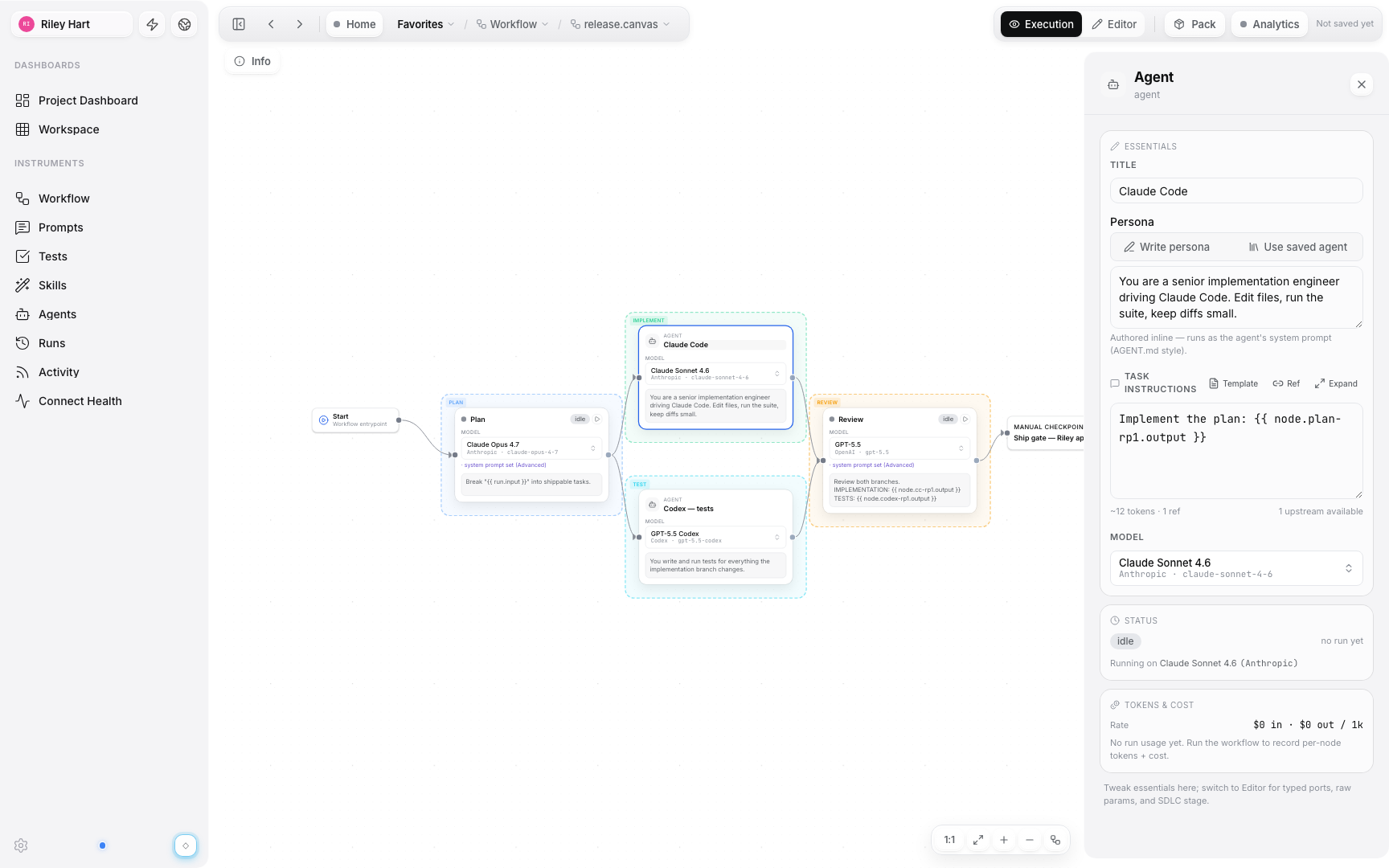
Add input, agent, and end nodes and connect them with N8N-style arrow edges that show exactly how data flows. Branch, merge, and fan-out in a single view.
- Branch, merge and parallel fan-out
- Closed-arrowhead bezier edges
- Pure-FSM execution engine

Every node is configurable.
Click a node to pin its runner, write the instruction, and tune parameters. Inline personas and role presets get you from blank node to working step in seconds.
- Per-node model, temperature & max-tokens
- Inline persona & role presets
- Typed input/output ports
Replay any run on the canvas.
Every execution is recorded. Scrub the timeline, watch nodes light up in order, and inspect exactly what each step produced.
- Timeline scrubber over the live graph
- Per-node status & cost
- File-based artifacts under .futsu/runs/

What teams use Canvas for.
Ship a plan → code → review release pipeline
Plan with Claude, fan out to Claude Code and Codex, gate the merge behind a human checkpoint.
Fan one task out to parallel agents, merge the results
Branch the graph, run both sides at once, and pipe the outputs into a review node.
Replay yesterday’s failed run step by step
Scrub the timeline over the live graph and inspect what every node produced.
Your next pipeline starts on a canvas.
Open a canvas, drop your first nodes, and run it in minutes.